
Products >> SRT Client
SRT Client – Secure Low-Latency H.265 Player & SDK for Multi-Stream Playback
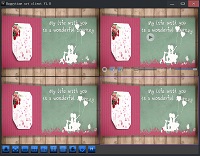

Happytime SRT Client supports any layout and can automatically save the layout for automatic loading the next time it is launched. It supports local video recording, allowing users to set the recording duration and size.
Happytime SRT Client is highly compatible and stable, and can automatically detect the computer hardware configuration, then automatically match the corresponding decoder and rendering chain, achieving fast media opening and allowing audio and video to be played simultaneously. Its multi-core decoding technology fully utilizes the advantages of multi-core processors.

Support playing multiple SRT streams simultaneously
Support offline reconnection
SRT client SDK for embedded
Low latency SRT client with IPv6 support
Support multi-monitor video wall (up to 4 screens)





Key Features of SRT Client
1.Multi-stream support:
Happytime SRT Client allows users to play multiple SRT streams simultaneously to meet high concurrency requirements.
2.Encoding technology:
Supporting H264 and H265 video encoding, as well as AAC audio encoding, ensuring high-quality audio and video transmission.
3.Offline reconnection mechanism:
Even in the event of network interruption, it can automatically restore connectivity to ensure service continuity.
4.Cross-platform compatibility:
Supporting multiple platforms such as Windows, Linux, Android, Mac, and iOS, enabling seamless cross-device use.
5.SDK interface:
Provides convenient development SDK for easy integration into third-party applications, with strong scalability.
6.Intelligent hardware adaptation:
Automatically detect and match hardware configurations, optimize the decoder and rendering chain, and make full use of system resources.
7.Fast media processing:
Media files open quickly, and audio and video are played synchronously, improving the user experience.
8.Multi-core decoding technology:
Effectively utilizing multi-core processors to improve decoding efficiency and performance.
9.Flexible layout management:
Support for arbitrary layouts, with automatic saving and loading to meet individual needs.
10.Multi-monitor video wall:
Spread SRT streams across several physical monitors (up to 4 screens, each with a grid up to 5×5) with bezel compensation and template saving/loading for command-center deployments.
11.Local video recording:
Support for setting recording duration and size, automatic file switching, easy content management and archiving.
12.Video Presentation Mode Selection:
Users can choose between full-screen filling or maintaining the original aspect ratio display as needed.
Technical specifications of SRT Client
Programming language: C/C++
Decoding technology: Multi-core decoding technology is adopted to effectively utilize multi-core processors and improve playback performance.
Layout management: Support custom layout, and automatic saving and loading, convenient for
users.
Local recording: Support local video recording, set the recording duration or file size, and automatically switch between file recordings.
Media information viewing: Provides media information viewing functions, including audio and video encoding, video resolution, frame
rate, audio sampling rate, and channels.
Use Cases & Applications
Live Production Monitoring: Watch multiple camera feeds from remote locations.
Video Surveillance: View secure, low-latency SRT streams from NVR or cameras.
Embedded Systems: Integrate SDK into DVR, kiosk, or IoT devices.
Custom Development: Build your own SRT player with C/C++ SDK.
Remote Work: Monitor live events with sub-second latency.
Command Center Video Wall: Display many SRT streams across multiple monitors with bezel compensation.
Flexible Layout & Recording
Supports any window layout (1x1, 2x2, 4x4, etc.)
Automatically save layout, restore upon startup
Video recording supports automatic segmentation by time/size
Support multi-monitor video wall
The Video Wall displays SRT streams across several physical monitors at the same time. Each monitor runs a full-screen, frameless wall surface with its own video grid, so the whole desktop behaves like a TV wall, as the following:
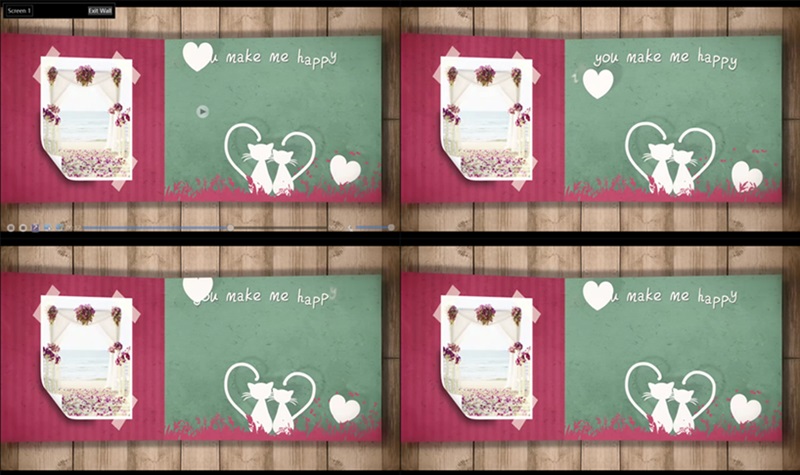
Click the Video wall toolbar button and configure each screen in the Video Wall Setting dialog: enable the screen, set the grid rows/columns (up to 5×5, 25 windows per screen), and set bezel compensation (0–200 px) so picture edges align across
monitors with bezels. Wall layouts can be saved and loaded as XML templates.
Up to 4 monitors are supported. Streams that are already playing are moved onto the wall without interruption and restored when you leave the wall via Esc, the Exit Wall button, or the context menu Exit Video Wall.
Related Resources
Frequently Asked Questions (FAQ)
What is an SRT client?
An SRT client plays live video/audio streams from an SRT server. Happytime SRT Client supports H.265, multi-stream, offline reconnection, and local recording.
Does it support H.265/HEVC?
Yes. Full support for H.265 and H.264 video codecs.
Can I play multiple SRT streams at once?
Yes. Supports simultaneous playback of multiple SRT streams in customizable layouts.
Does it support offline reconnection?
Yes. Automatically reconnects when the network is restored.
Can I record while playing?
Yes. Built-in AVI recording with zero-copy – no quality loss.
Is there an SDK?
Yes. C/C++ SDK available for embedding into custom or embedded applications.
What platforms does it run on?
Windows, Linux, Android, iOS, and Mac. Supports embedded systems.
Does it support a multi-monitor video wall?
Yes. The video wall displays SRT streams across up to 4 physical monitors, each with its own full-screen grid (up to 5x5), bezel compensation, and template saving/loading. Streams already playing move onto the wall automatically without interruption.