
Products >> Stream2File
Stream2File - Record RTSP, RTMP & SRT Streams to MP4, AVI, TS with Scheduled Recording
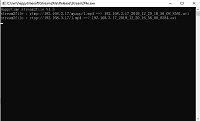

Happytime Stream2File supports AVI, MP4, and TS file formats, automatic key-frame-aligned file splitting, custom file name templates and date sub-directories. It supports multiple audio and video encoding formats and can capture high-quality audio and video streams without any loss of quality.
Happytime Stream2File is suitable for content creators, online education, remote meetings, video surveillance and other fields, providing a reliable solution.

Supports save RTSP / RTMP / SRT / MJPEG stream to file
Supports AVI, MP4 and TS file format
Supports MPEG4, MJPEG, H264, H265 video formats
Supports G711A, G711U, G722, G726, OPUS, AAC audio formats
Supports scheduled recording with weekly time windows
Supports recording size or recording time auto-splitting at key frames
Supports storage management (retention days, quota, free-disk control)
Supports custom file name templates and date sub-directories
Supports runtime HTTPS REST control API
Stream to file recording daemon






Key Features of Stream to File Recorder
✅ Multi-Protocol Input: RTSP, RTSPS, RTMP/RTMPT(S), SRT, HTTP MJPEG, HTTP-FLV
✅ Multiple Output Formats: MP4, AVI, TS
✅ Headless Daemon: Command-line recorder (stream2file -c config) for server and embedded deployment
✅
Scheduled Recording: Record only inside configured weekly time windows (up to 8 windows, cross-midnight supported) to save storage and bandwidth
✅ Continuous Recording: 24/7 recording with duration or file size auto-splitting at key frames
✅ Storage Management:
Automatic retention (delete files older than N days), total-quota and free-disk control with safe cleanup of only recorder-generated files
✅ Runtime Control API: Optional HTTPS REST interface to inspect and manage tasks (status / storage / start / stop / add / delete /
reload)
✅ Custom File Naming: Date sub-directories and file name templates with %Y/%m/%d/%time/%host tokens
✅ Up to 100 Tasks: Record up to 100 independent streams in the full build
✅ High-Quality Recording: No quality loss, supports H.264,
H.265, AAC, OPUS
Support scheduled recording
Stream2File supports scheduled recording in addition to 24/7 continuous recording. When the schedule is enabled, the stream is connected and recorded only inside the configured time windows, and disconnected outside them — saving storage space and network
bandwidth.
Configured in stream2file.cfg per stream:
<sched_enable>1</sched_enable> — enable scheduled recording (0 = record 7x24, default).
Each <sched> block defines one recording window. Up to 8 windows are supported per stream, and multiple windows are merged:
<week> — days of the week the window applies to (0 = Sunday, 1–6 = Monday–Saturday; values are repeatable; default is every day).
<start> / <end> — window time in HH:MM or HH:MM:SS. If end <= start, the window spans across midnight (e.g. 22:00:00 ~ 02:00:00 records from
22:00 tonight to 02:00 tomorrow).
Example — record weekdays 08:00–18:00 and weekends 09:00–12:00:
<sched_enable>1</sched_enable>
<sched><week>1,2,3,4,5</week><start>08:00:00</start><end>18:00:00</end></sched>
<sched><week>6,0</week><start>09:00:00</start><end>12:00:00</end></sched>
Storage management (retention & auto-cleanup)
Stream2File can automatically manage recording storage so old recordings never fill the disk. Storage management is optional and disabled by default.
<store_enable>1</store_enable> — enable storage management.
<retention_days>N</retention_days> — delete recording files older than N days.
<store_max_kb>N</store_max_kb> — maximum total recording size in KB; the oldest files are deleted first until under the limit.
<disk_free_kb>N</disk_free_kb> — minimum required free disk space; when free space drops below it, recording is refused or stopped according to <disk_full_mode> (stop_new or stop_all).
<clean_interval>N</clean_interval> — how often (seconds) the storage check runs.
Safety: only files generated by Stream2File (matching its naming pattern under a configured save path) are ever deleted. Files currently being written and foreign files are never touched.
Runtime control API (HTTPS REST)
Stream2File can expose a small optional HTTPS REST API so external systems can inspect and manage recording tasks without restarting the process. Enable it with <ctl_enable>1</ctl_enable> plus bind address, port, and optional credentials; provide
certificate/key files to run over HTTPS (otherwise plain HTTP). Digest authentication is preferred, with Basic accepted for compatibility.
Key endpoints (JSON, code = 0 on success):
GET /api/status — list recording tasks.
GET /api/storage — report used / free recording space.
POST /api/task/start / POST /api/task/stop — start or stop a configured task (start accepts an optional duration_s manual override).
POST /api/task/add / POST /api/task/del — dynamically create or remove a task for any stream URL.
POST /api/reload — remove all dynamic tasks and return to the configured state.
Example: curl -k --digest -u admin:admin123 https://host:8190/api/status
Custom file names and date directories
Stream2File can organize recordings into date sub-directories and use custom file name templates.
<subpath>%Y/%m/%d</subpath> — append a date-based directory under savepath (created automatically).
<namefmt>%host%_%time%_ch1</namefmt> — custom file name; supported tokens include %Y, %m, %d, %H, %M, %S, %time (YYYY_MM_DD_HH_MM_SS) and
%host% (host from the stream URL). The file extension is appended automatically.
Example output: /var/record/2026/09/08/192.168.3.36_2026_09_08_08_30_00_ch1.mp4
If a target file already exists, a random suffix is appended so existing files are never overwritten.
Technical specifications of Stream to File Recorder
Language and Platform: Written in C/C++, supporting cross-platform compilation (Linux, Windows, Android, iOS, embedded).
Program form: Headless command-line daemon configured by an XML file (stream2file -c config).
Recording tasks: Each
<stream2file> element defines one task; up to 100 tasks in the full build, fully independent.
Video codec: H264, H265, MJPEG, MPEG4.
Audio codec: G711A, G711U, G726, G722, OPUS, AAC.
Output containers: AVI, MP4, TS, with automatic file splitting at key
frames.
Scheduling: Up to 8 weekly windows per task with cross-midnight support.
Storage management: retention days, total size quota, free-disk watermark.
Runtime control: optional HTTPS REST API (status / storage / task start / stop / add / delete / reload).
Media
playback compatibility: The generated file supports most media players.
Use Cases & Applications
Video Surveillance: Record RTSP streams from IP cameras 24/7 or on schedule
Live Stream Archiving: Save RTMP streams from Twitch, YouTube, OBS
Education & Training: Capture online lectures or webinars on schedule
Content Monitoring: Archive broadcast content for compliance with retention auto-cleanup
Remote Meetings: Record Zoom/Teams streams (if accessible via RTMP/RTSP)
NVR / Storage Integration: Manage recording quota and disk space automatically
Reliable file output (MP4 / AVI / TS)
Files are finalized when a split or recording window ends: MP4/AVI headers and indexes are written at that moment, so all closed files are playable in most media players.
For the most robust behavior against process crashes or power loss, use the TS format — TS is stream-oriented and stays playable even if the last file is not finalized.
File switching (recordtime / recordsize) happens on the next key frame so every file starts with a key frame.
If a file is still being written when the process is force-killed, it may be unplayable; the AviFixer tool repairs such AVI files.
AVI file repair tool (AviFixer)
When the program is abnormally shut down or the device suddenly loses power, the written file does not update the necessary information, there will be mosaics when playing videos.
AviFixer tool is used to repair such files.
AviFixer is a command line tool with the
following command format:
avifixer options <filename>
-h print this help
-r remove the input file
-o <filename> the fixed file save path
Why Choose a Dedicated Stream to File Tool?
Lower resource usage (no graphical interface overhead)
Greater stability (designed specifically for streaming media)
Support for headless mode operation
Support for scheduled recording and storage management
More suitable for server/embedded deployment
Support for
runtime management via REST API
Frequently Asked Questions (FAQ)
What does "stream to file" mean?
"Stream to file" refers to the process of capturing a live audio/video stream (like RTSP or RTMP) and saving it directly to a local file (MP4, AVI, TS). Happytime Stream2File automates this process with high reliability.
Can I record RTSP stream to MP4?
Yes! Stream2File supports recording RTSP streams from IP cameras, NVRs, or encoders directly to MP4, AVI, or TS files with no quality loss.
Does it support continuous recording?
Yes. You can set recording duration (e.g., 1 hour per file) or file size limits. When reached, it automatically creates a new file for long-term archiving.
Is it headless / how is it run?
Yes. Stream2File is a headless command-line daemon configured by an XML file: stream2file -c config (defaults to stream2file.cfg). It is ideal for servers and embedded deployment with no graphical interface.
Is there a tool to repair corrupted AVI files?
Yes. We provide AviFixer, a command-line tool to repair AVI files damaged by power loss or crashes. Available in the download package.
How many streams can I record at once?
The demo version supports up to 2 concurrent recordings. The full version supports up to 100 independent recording tasks (limited by system resources).
Does it support scheduled recording?
Yes. Enable scheduled recording in stream2file.cfg and define up to 8 weekly time windows per stream. The stream is recorded only inside the configured windows (cross-midnight supported) and disconnected outside them to save storage and bandwidth.
Can it manage recording storage automatically?
Yes. Optional storage management deletes files older than N days (retention), enforces a total recording quota, and watches free disk space — safely removing only files generated by Stream2File under the configured save paths.
Is there a runtime control / management API?
Yes. An optional HTTPS REST API (Digest auth) lets external systems inspect storage, and start, stop, add, delete or reload recording tasks without restarting the process.
The demo version limitations
Happytime Stream2File demo version supports up to 2 concurrent recordings.
The full version supports up to 100 recording tasks.